
·!– /wp:html –>
· Send the text message to 5551
·!– /wp:html –>
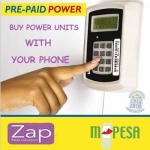
Mobile money transfer services in Kenya have evolved to the point of being considered as the most effective and efficient means to make payments for utility bills such as electricity and water bills. As of now, instead of subjecting oneself to long queues at the Kenya Power and Lighting company (KPLC) offices to pay for a monthly electricity bill, both Mpesa and Airtel Money customers can make these payments directly from their mobile phones at the comfort of their homes. The advent of mobile money transfer services in Kenya did not only change the mode of paying utility bills but eliminated problems associated with carrying cash as well as providing the most efficient way for business to accept payments for their products and services. It’s now easier to pay for your electricity bill using Mpesa or Airtel Money by following a few simple steps on your cell phone.
Hi. I would like to change the Account Name for my Electricity bill. Please advise on the process i need to follow. Thanks.